
Ten lesser-known Apple CarPlay features most drivers may not know
From finding your parked car to sharing music with passengers, these little-used CarPlay functions are worth a look, including video playback that arrived with iOS 27.
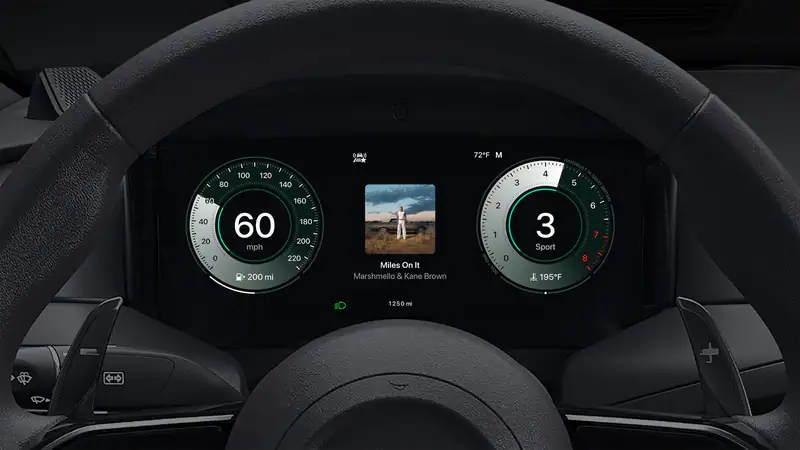
Apple CarPlay has been widely used since its debut in 2014. Most drivers with an iPhone who get into a CarPlay-compatible car use the system, but few take advantage of all of its features. A list compiled by Auto Express includes 10 little-known functions, among them new additions that come with the iOS 27 update.
Navigation and travel conveniences
Tap the phone icon next to a destination in Maps to call the business directly. It is handy for asking about table availability at a restaurant or stock levels at a shop. If Location Services and Significant Locations are turned on, the Park Location option in Apple Maps and Google Maps settings marks on the map the spot where the CarPlay connection was lost. On Apple Watch, the Backtrack feature in the Compass app leaves a trail that leads you back to your parked car.
Using the Share ETA option on the route card, your estimated arrival time can be sent to others. To do this, the feature must be switched on under Maps in the Settings app. The Calendar app in CarPlay shows upcoming events and, if needed, gives directions to the event location. Google Calendar is not directly supported, but Apple Calendar can be set up to automatically pull in entries from Google Calendar.
Display, entertainment and focus settings
Using the vehicle's ambient light sensor, CarPlay switches to dark mode automatically at night. Those who want dark mode at all times can go to the Appearance section in CarPlay settings and select Always Dark. To take a screenshot, the CarPlay screenshots option must be enabled in the Screen Capture section of Settings. If the driver is at the wheel, a passenger should do this.
With SharePlay, passengers can join in on music playback. Participants need an Apple Music subscription, an iPhone running iOS 17 or later, and the option to be visible to nearby people turned on in Music settings. Once music starts, a notification appears on passengers' lock screens, and the stream does not begin until someone taps the confirm icon on the car's screen. The SharePlay icon on the screen can also open a QR code.
Driving Focus mode silences incoming messages and automatically tells the sender that you are driving. If the sender marks a message as urgent, it is delivered. The new feature arriving with iOS 27 is video playback. Videos from supported apps such as YouTube and Netflix can be watched on the car's screen, but only while the vehicle is stopped. Once the car starts moving, the picture shuts off and the audio continues.
The Shortcuts app's CarPlay section also lets you set up automations that run when the iPhone connects to or disconnects from the car. You can have it read a specific message aloud, open a particular app, or start a chosen playlist, channel or song. On Apple Home-compatible devices, scenarios such as a smart light turning on as you approach home can also be set up.
This article was compiled with the help of AI from information published by Auto Express.